真实执行
不Yes模拟请求,也不Yes看不见的后台脚本。AI 在Real browser窗口中点击、输入、翻页、Download文件,并继承正常网页运行环境。
AgentBrowser Yes面向 AI Agent 的可视化浏览器。保留真实网页渲染、Sign inStatus与文件DownloadCapabilities;遇到Verification code、支付或敏感操作时,You可以随时接管。
支持 Windows 10/11 · 可免费使用 · 无需绑定银行卡
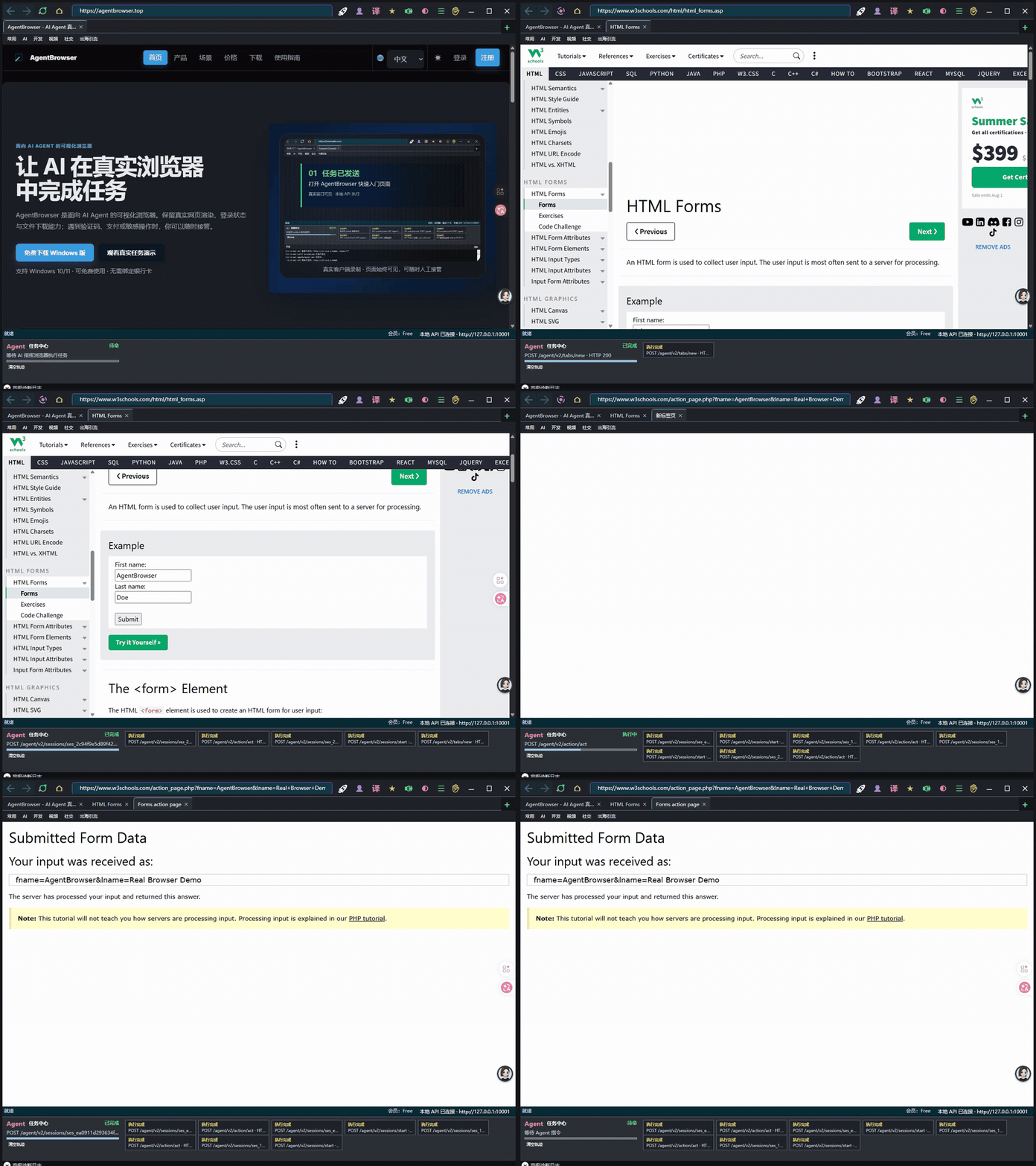
AI 负责重复操作,关键步骤仍由You决定。
不Yes模拟请求,也不Yes看不见的后台脚本。AI 在Real browser窗口中点击、输入、翻页、Download文件,并继承正常网页运行环境。
遇到Verification code、短信验证、支付确认或高风险操作时,任务自动暂停并交给用户处理,完成后 AI 可以继续执行。
通过Device授权、会话限制和动作记录控制 AI 的使用范围,帮助用户了解任务执行到了哪一步、发生了什么。
Not screenshot simulation, HTTP scraping or a black-box script. Give AI Agents a controllable, auditable real browser.
Not screenshot simulation or HTTP scraping. The Agent operates the browser window users can see.
Users handle sign-in, CAPTCHAs and sensitive confirmation; the Agent waits and continues.
Membership, device binding and expiry are validated centrally by the service.
Key clicks, input and downloads enter protocol logs for replay, diagnosis and testing.
Pages run in the user's own WebView2 browser and retain existing sessions.
Accounts, device fingerprints and plan rights are bound together and managed by the service.
Compare real rendering, visible handoff, local sessions and AI protocols.
| Solution | Real rendering | Visible handoff | Local session | AI protocol |
|---|---|---|---|---|
| HTTP scraping | ✗ | ✗ | ✗ | ✗ |
| Headless browser (Playwright) | ✓ | ✗ | ✗ | Partial |
| Traditional RPA | ✓ | Partial | ✓ | ✗ |
| AgentBrowser | ✓ | ✓ | ✓ | ✓ |
接管完成后从当前页面继续,不需要重新开始。
告诉 AI 需要访问的网站和最终目标。
AI 自动打开页面、填写表单、点击按钮和提取结果。
Verification code、Sign in确认、支付等步骤由用户亲自完成。
接管完成后,AI 从当前页面继续,而不Yes重新开始。
Download文件、任务Status和关键操作记录统一保留。
让 AI 在需要Sign in、翻页或筛选条件的网站中查找资料,并将结果Download到本地。
结果:得到整理后的资料与本地文件自动完成后台录入、Status查询、表单填写和批量操作;需要人工确认的步骤仍由You控制。
结果:减少重复点击与手工录入通过本地 API 或标准任务接口,让 Claude、Codex 等 AI 工具调用Real browser executes网页任务。
结果:让现有 AI 工作流获得浏览器Capabilities以下额度与许可证签发系统使用同一配置。
适合个人体验和低频任务。
适合持续使用和复杂任务。